Tool for Windows
Back to ETS. With your own ETS.
KNX Atlas for ETS is a small Windows program. It lets your installed, licensed ETS 6 import a project written by KNX Atlas and write it again with its own exporter. What comes out is a normal export, signed by ETS.
Why this program exists
ETS checks the signature of a project file when importing it. It rejects a project written by KNX Atlas with “project file has no valid signature”.
The signature uses a key that is part of ETS. KNX Atlas does not extract it and does not use it. So your own ETS takes over this step: it imports the file in the background into an isolated, temporary project store and exports it with its own exporter, which writes the signatures.
Back in five steps
- 1
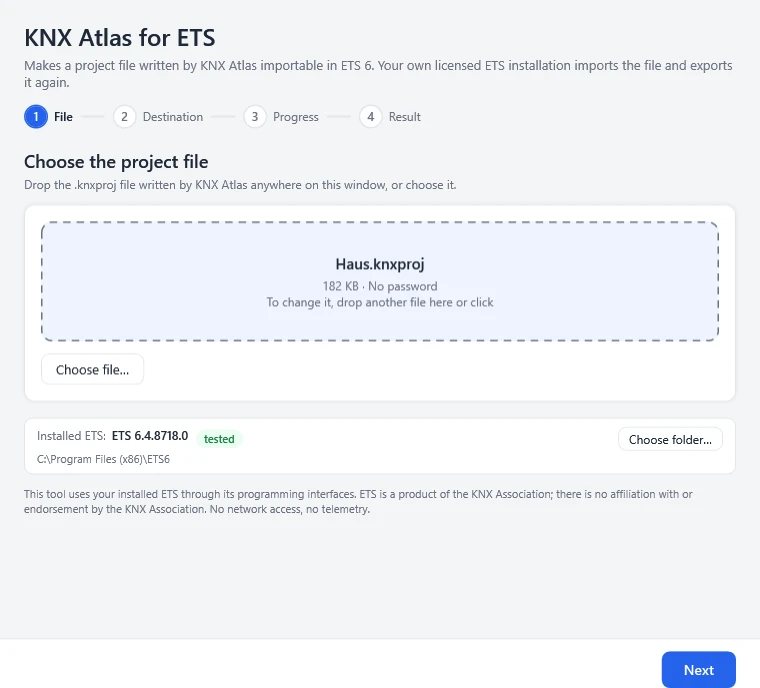
Choose the file
Drop the .knxproj file on the window or choose it. Below, the program shows the ETS it found and whether its version is tested.
- 2
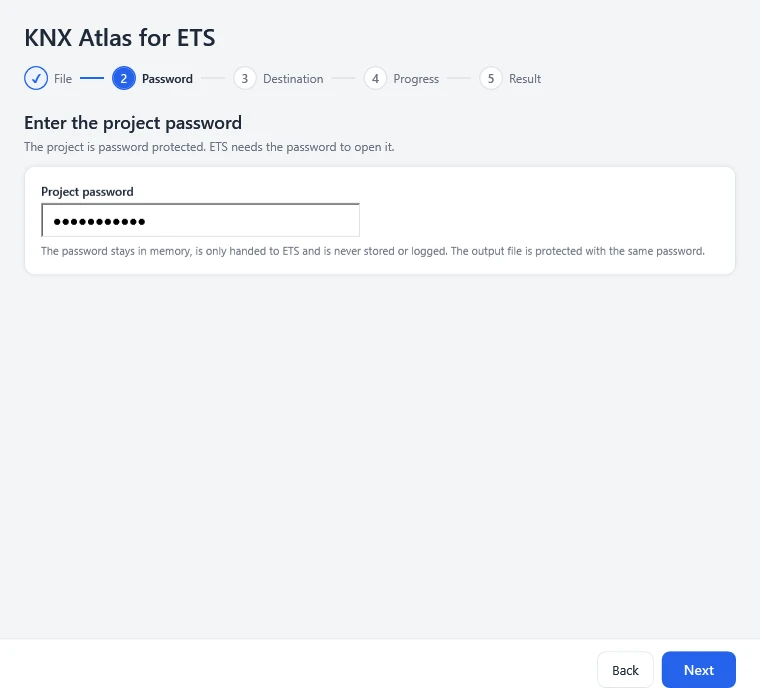
Enter the password
Only for protected projects. The password goes to ETS in memory only; the new file is protected with the same password.
- 3
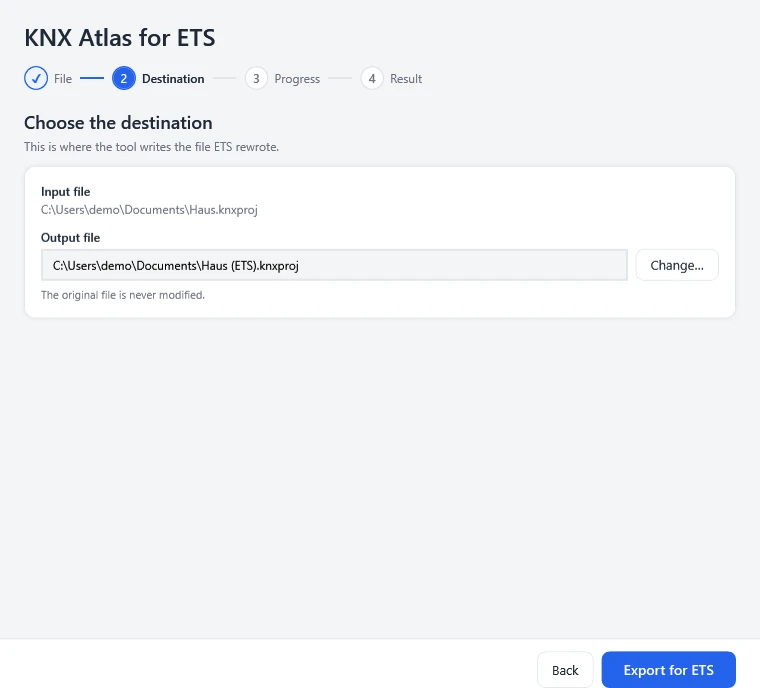
Set the destination
The new file is called “<name> (ETS).knxproj” and sits next to the original. An existing file is replaced only after you confirm.
- 4
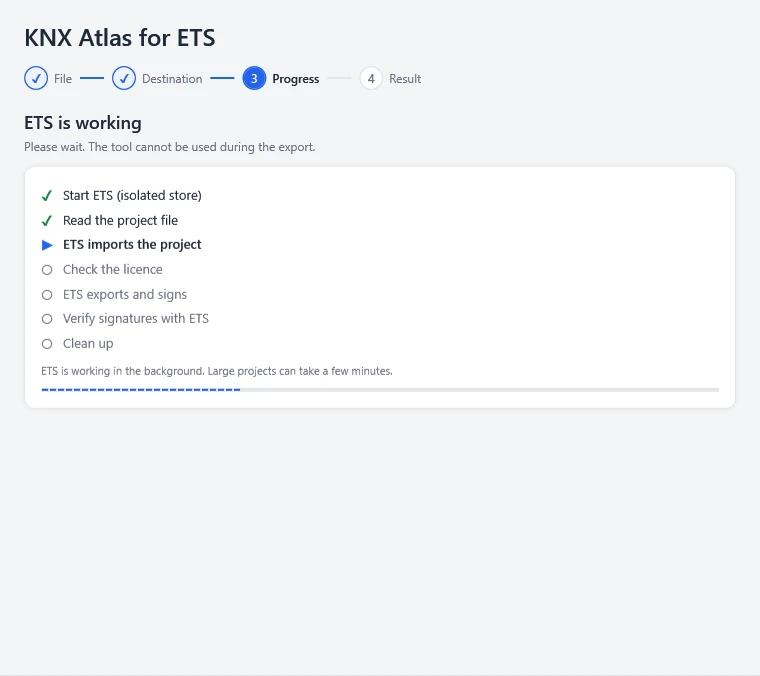
Let ETS do its work
ETS imports the project, exports and signs it, then the signatures are checked. Large projects take a few minutes.
- 5
Check the result and import
Devices, certificate, signature check and ETS’s messages at a glance. Then import the file in ETS 6 with File › Import project.
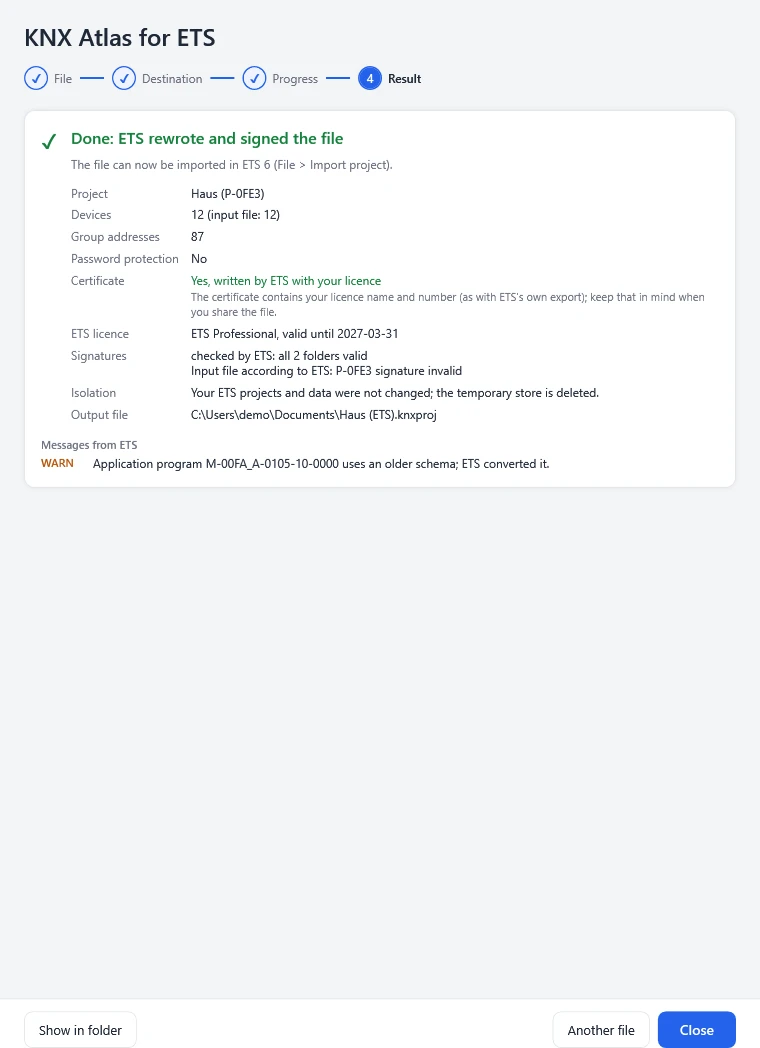
The pictures show the program window with demo data.
What it does – and what it doesn’t
- It uses ETS’s own functions for import and export.
- It works in an isolated, temporary project store that is deleted afterwards.
- It checks the new file with ETS’s signature check and compares the number of devices.
- It shows ETS’s import warnings and errors in readable form.
- It signs nothing itself and reads no key from ETS.
- It changes neither the original file nor your ETS projects, products or caches.
- It overwrites no file without your explicit choice.
- It uses no network and sends no telemetry.
Certificate and licence
ETS writes a certificate into the file when its exporter is given a licence. The program picks it the same way ETS’s own export does. Start ETS 6 once beforehand so that it finds your licence reliably.
Without a certificate, an ETS without a support licence imports at most five devices of the file – the result window says so clearly. A project with more devices than your licence allows per project is refused, just as ETS itself would not open it.
When the program writes nothing
If ETS dropped devices during the import, the topology lacks the backbone or main line, or ETS rejects the password, no output file is written. The program explains why and takes you back to the right step.
The resulting file has the same project content but is not byte-identical: ETS writes it with its own serialiser and, as with every export, adds the master and product data the project needs.
On the command line too
The same function is available for scripts. The password is read only from an environment variable, never from the command line. Exit code 0 means: written and accepted by ETS’s signature check.
KnxAtlasEtsExport.exe --input House.knxproj [--output "House (ETS).knxproj"]
                      [--password-env NAME] [--result-file result.json]
KnxAtlasEtsExport.exe --detect-ets
Frequently asked questions
Do I need an ETS licence for this?
Yes. The program uses your installed, licensed ETS 6 and ships no ETS files itself. Without a suitable licence ETS writes no certificate; an ETS without a support licence then imports at most five devices.
Does the program run on the Mac?
No. It needs Windows 10 or 11 with ETS 6 installed there, because it works with exactly that ETS.
Why does Windows warn on the first start?
The program is not code-signed, so Windows SmartScreen does not know the publisher. Compare the SHA-256 checksum of the ZIP file with the one on this page; then you can start the program via “More info”.
Does it work with every ETS 6 version?
ETS 6.4.8718 is tested. If the program finds another 6.x build, it runs only after your explicit confirmation. ETS 5 and older are not supported.
ETS is a product of KNX Association. The program uses your installed ETS through its programming interfaces; there is no affiliation with or endorsement by KNX Association.